AI Lifestyle Photography Guide: What It Is and How It Works
Every brand eventually hits the same wall: the product shots are clean, the catalog is complete, and none of it makes anyone stop scrolling. Lifestyle imagery is the fix, and AI has made it fast enough to run every week instead of once a season. Here is what it actually is, how it differs from what you're already producing, and how to build it properly.
What AI lifestyle photography actually is
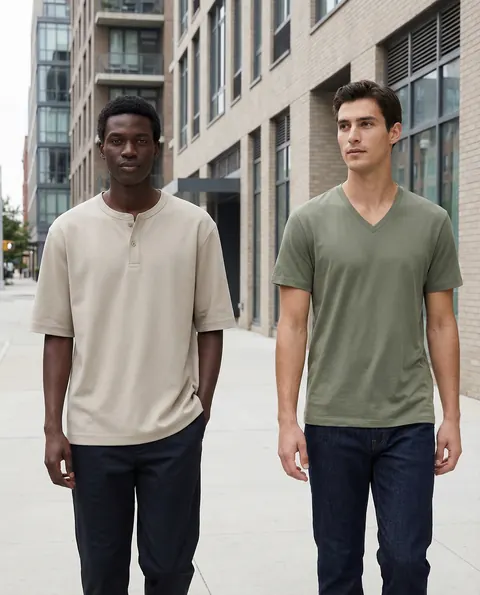
AI lifestyle photography is the generation of in-context imagery — a product placed in a real-feeling scene, often with a person interacting with it — using generative models instead of a location shoot. Instead of booking a café, hiring a model and scheduling a crew, a team briefs the scene, generates the environment, and composites the product in with matching light, scale and shadow.
The output is not a stock photo with your product pasted in. A properly produced lifestyle image is generated as one coherent scene, so reflections, shadow direction and depth of field all agree with each other. Get that wrong and the eye catches it immediately, even if a viewer can't say exactly why the image feels off.
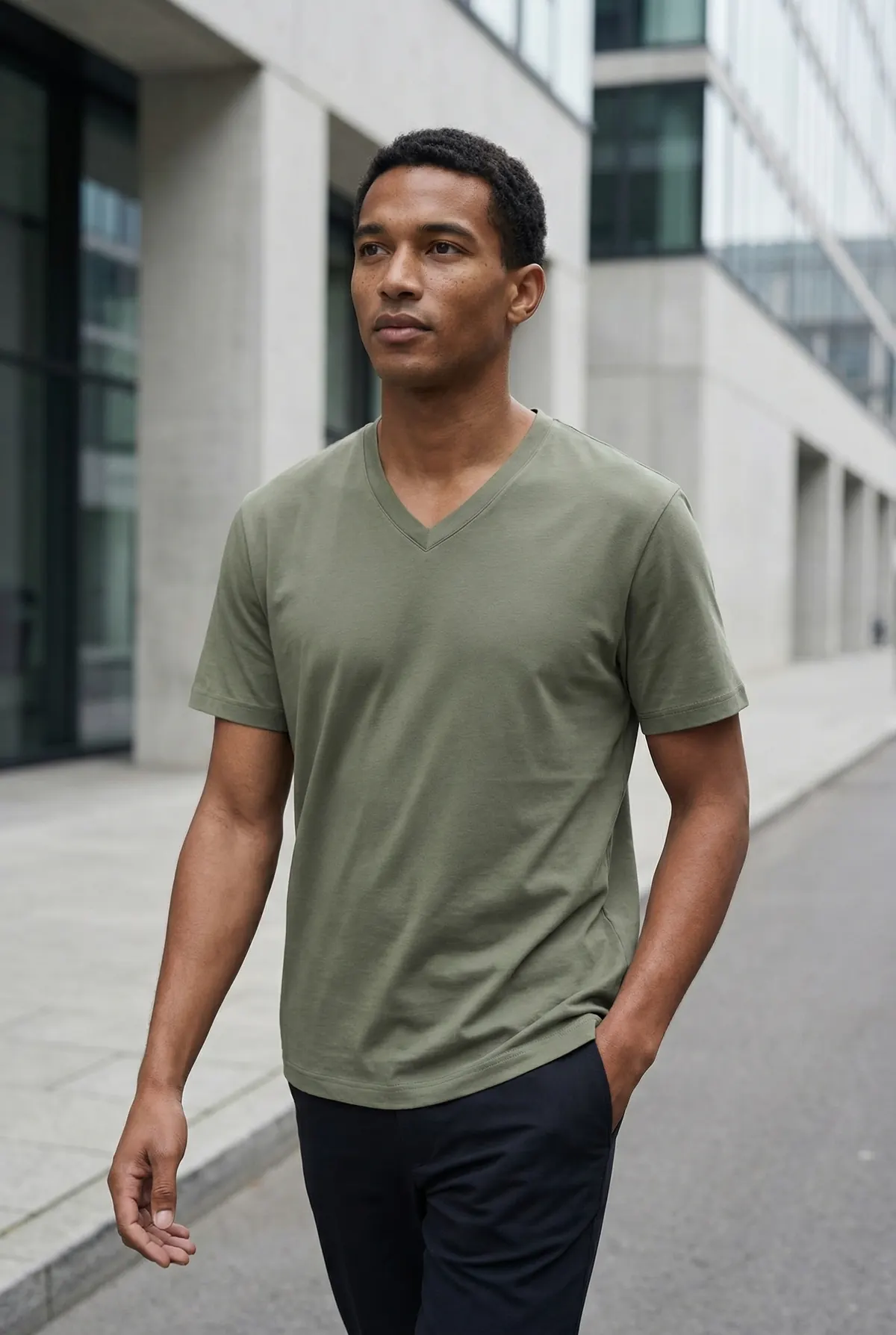
What makes this different from a text-to-image experiment is control. A brand needs the same model face across a season, the same color grade across every asset, and a product rendered at the correct proportions every time. That level of consistency is a production discipline, not a single prompt.
It also means treating the model, the environment and the product as three separate variables that all need to agree with each other. A generic tool optimizes for one striking frame. A production pipeline optimizes for a consistent set — twenty images that all belong to the same shoot, the same season, the same brand world, generated over a matter of hours instead of a single scheduled day.
How it differs from studio and product photography
Studio and product photography exist to answer a factual question: what does this item look like, in detail, without distraction. Clean background, even lighting, sharp focus on texture and construction. That's the right format for a product detail page's primary image and for anything a shopper zooms into before buying.
Lifestyle photography answers a different question: what does this item mean, and what does my life look like once I own it. It trades some of that clinical detail for context — a kitchen counter, a commute, a weekend. The two formats are complementary, not competing. A page that leads with a clean shot and follows with lifestyle context consistently reads as more complete and more trustworthy than a page built from either format alone.
The practical difference for production is that studio photography can be templated — same background, same lighting rig, swap the product. Lifestyle photography can't be templated the same way, because the scene has to change with the season, the platform and the story. That's exactly the part AI removes the cost from.
Building a scene library
The single highest-leverage decision a brand makes when adopting AI lifestyle photography is investing in a scene library early. A scene library is a set of approved environments, model looks, lighting setups and color grades that have already been through creative review and can be reused across every future project.
Without a library, every new shoot starts from a blank prompt — re-explaining brand tone, re-approving a model look, re-establishing what "on-brand lighting" means. With a library, a new product drops straight into an established world. The first two or three projects take longer because that library doesn't exist yet. After that, turnaround drops sharply because most of the creative decisions are already made.
A practical library usually holds three to five core environments (home, outdoor, urban, seasonal, workspace — pick what matches your customer's actual life), one to three locked model identities, and a documented lighting and grading standard. Treat it the way a brand treats a style guide — a living asset, not a one-off deliverable.
Seasonal refreshes without reshoots
The clearest cost win from AI lifestyle photography shows up at the seasonal refresh, not the first shoot. A traditional calendar means a new location, new props and a new crew for spring, summer, back-to-school and holiday — four production cycles a year, each with its own lead time and its own risk of a delayed shipment or a rained-out shoot day.
With a scene library in place, a seasonal refresh becomes a relighting and re-dressing exercise inside the existing pipeline: the same model, the same product, moved into a different season's environment. A summer terrace scene becomes a holiday fireplace scene without touching the product photography or re-approving the model. Turnaround for a full seasonal set typically runs in days rather than the weeks a physical reshoot calendar requires.
This also solves a problem physical production never could: reacting to a trend mid-quarter. If a competitor's campaign or a cultural moment creates a window worth moving on, a lifestyle set can ship before the moment passes — something a six-week location shoot lead time simply can't do.
Quality checklist
Before any AI lifestyle image ships, run it against a short checklist. This is the same standard a creative director would apply to a physical shoot, adapted for what actually breaks in generated imagery.
- Lighting logic: does the light source direction match across the product, the model and the background? Mismatched shadows are the fastest way a viewer's eye catches that something is off.
- Believable environments: does the scene hold up under a close look — proportions, reflections, background detail — or does it fall apart past a quick glance?
- Brand fit: does the color grade, model casting and scene choice match the rest of your marketing, or does it look like it came from a different brand?
- Product accuracy: is the product rendered at correct scale, color and detail, matching the real item exactly?
- Human review: has a person, not just an algorithm, checked the final frame before it ships? This is the step that separates agency-grade output from raw tool output.
A set that passes all five is ready for a product page hero, paid social or a seasonal campaign. A set that fails even one is worth a second pass before it goes live — the cost of catching an issue before launch is always lower than the cost of a customer catching it after.
Where to start
If your catalog is currently all studio shots, the fastest path to a working lifestyle program is a single pilot: one hero product, three to four scenes, one locked model. Use that pilot to build your first scene library entries, then expand once the workflow and review process are proven. Trying to convert an entire catalog to lifestyle imagery in one pass usually produces inconsistent output, because the brand standards haven't been locked yet.
Once the pilot is approved, the rollout usually follows the calendar rather than the catalog — building out the next season's scenes before building out every remaining SKU. That ordering matters more than it looks: a brand with three seasons of scenes and half its catalog covered can react to a campaign moment immediately, while a brand with every SKU covered but only one static scene has nothing new to publish once that scene goes stale.
Budget planning also looks different from a physical production calendar. Instead of allocating a fixed sum per shoot day, most teams find it easier to budget per deliverable set — a defined number of finished images per month, drawn against the scene library as needed. That structure scales cleanly whether the month calls for one big campaign push or a dozen small social refreshes.